Webshop - Sell products online
How to make a webshop and sell products online on your website.
Overview
CrossFit Södermalm wanted an easy way to sell products like energy drinks and PT services. Using Mana & Squarespace (any website builder such as Wordpress, Wix etc will work fine) they launched a functional webshop in about 20 minutes.
Goal: Enable product sales (e.g., Nocco, PT services, socks, t-shirts) via a simple webshop for online purchases.
🔧 Setup Process
Access the Mana Admin Console.
Navigate to Studio Settings → Products.
Click Add Product and follow the prompts.
💡 Keep it simple: Instead of separate entries for each Nocco flavor, create one product called “Nocco”. You will have to add a link for every product you make so it is easier to have fewer products.
Generate Checkout Links & QR Codes
After creating a product:
- Open the page of the specific product you just created
- See Permanent Checkout Link at the top of the page
- Copy the URL
Example:
https://www.getmana.app/s/crossfitsodermalm/checkout/product/1f780802-7d27-4127-8aa9-7920d0b13ce3
💡 Bonus tip: you can send these links directly to someone if you want them to make a purchase! For this guide we will want to make a webshop and move on to the next step.
CrossFit Södermalm uses Squarespace, but any website builder works. The method will generally be the same for most website builders.
Steps:
- Create a new page for your shop. We recommend giving it a simple URl like /shop
- https://www.crossfitsodermalm.se/shop for example.
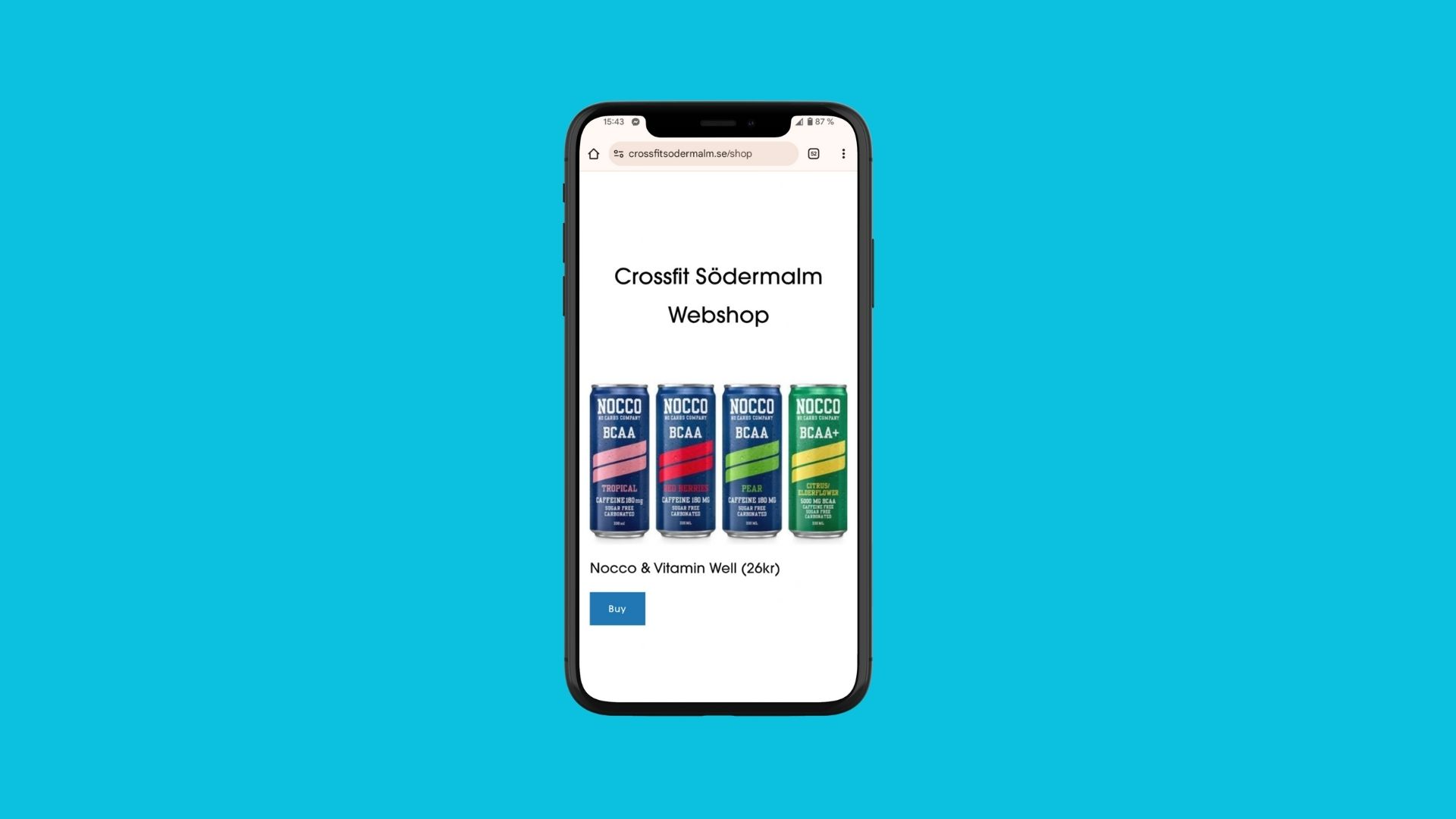
- Add product names, short descriptions, and purchase buttons linking to each item’s Mana permanent checkout link! Keep it simple! You can always make the webshop more advanced later. Adding the links will look something like this:
- Double check how it looks in mobile view. Most people use your webshop on their phone.
- Link the /shop page to your banner on your website or wherever you think it will be easy for your members to find the webshop.
💡 You can place a payment link button anywhere on your website. For example, if you offer a 10-session Personal Training package, you could create a dedicated page for your PT services and include a “Buy Now” button that links directly to the PT 10x Credit product.
📌 Note: Mana does not handle inventory or order tracking, so you’ll need to manage things like stock levels, package usage, and fulfilment manually.
In just a few simple steps, CrossFit Södermalm set up a working webshop using Mana and a website builder—making it easy to sell drinks, PT packages, and merch online. By creating products in Mana, generating checkout links, and embedding them into a basic shop page, they launched a functional sales flow in under 20 minutes. Now it’s your turn—keep it simple, start small, and build from there!
Need Help?
Questions? I’m happy to help! Just reach out.
Author:
Karl Gullö
Karl@getmana.app
Last updated August 5, 2025